Studio
InOut Games
Android package
The Tower Dash APK comes from our partner after you sign in. Download it, approve two prompts, and Tower Dash is behind an icon on your home screen from then on.
Tower Dash is an instant tower-building game from InOut Games. A crane swings a crate, one tap drops it, and the multiplier climbs with every crate that lands.
Start here
The button opens a new tab on the partner side. Everything below happens there, in this order, and takes a couple of minutes.
Get Tower Dash for AndroidThe package uses the same login, balance and instant games shelf as the browser version. It changes how you launch the game and leaves the game itself as it is.
Six steps from a fresh phone to a running round.
Any one on this page opens the new tab. Keep it open until the install finishes so you can get back without searching again.
Do this before you touch the download. A signed-in session is what puts the Android package in front of you.
Android moves it into the background. Pull down the notification shade to watch its progress.
Tap the finished entry. The system installer takes over from the browser.
Android asks whether this source may install packages. Answer once and later updates go through without a prompt.
Open the new icon, search the instant games shelf for Tower Dash, and start a round.
If the phone locks partway through, the download waits for you. Reopen the notification shade and tap the entry again.
Studio
InOut Games
Format
Instant / fast game in a stacking-tower format
Played as a short round where a crane and crates replace reels.
Return to player
95.5%
Bet range
0.12–100 USD
Bonus buys
2
at 50x and 100x the bet
Mobile
Browser play supported
Difficulty
Easy, Medium, Hard
chosen before the stake is sent
Cash out
Manual, between drops
you choose the moment
Input
One tap per crate
Listed in the order you meet them in a round.
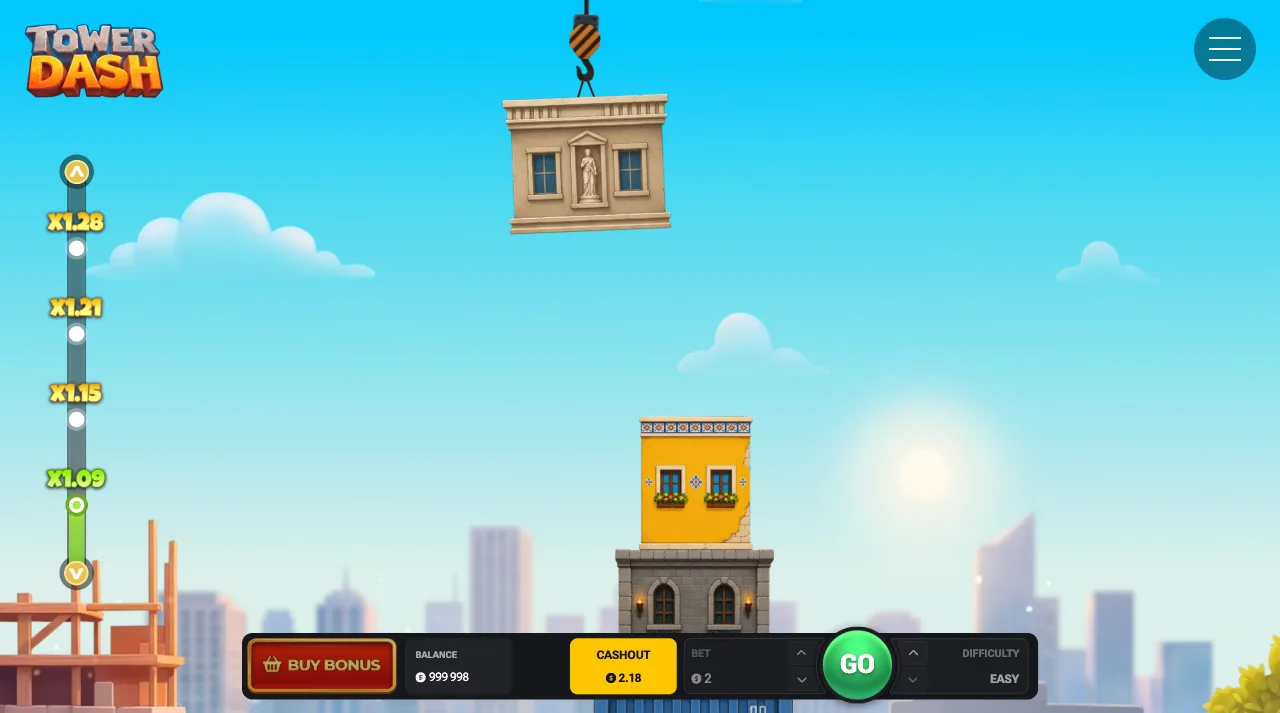
A crate rides the crane above your stack and swings side to side. One tap on Play releases it. Apart from Cash Out, that is the only input during a round.
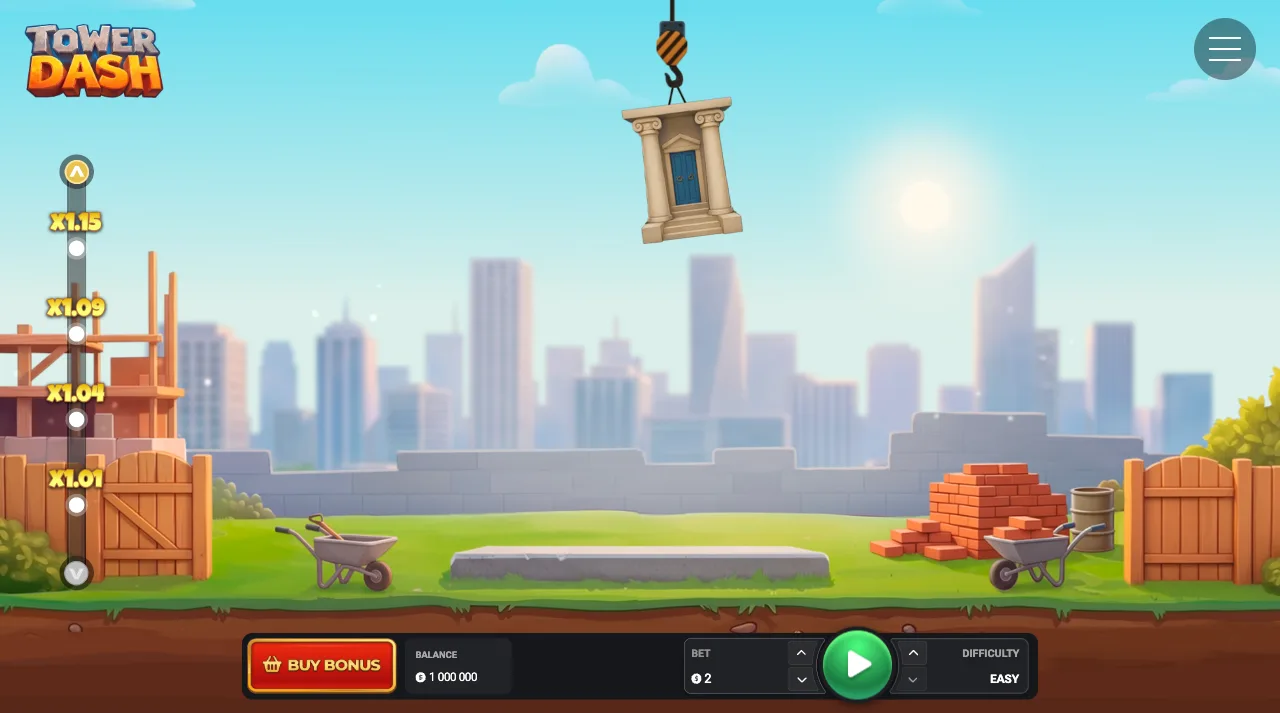
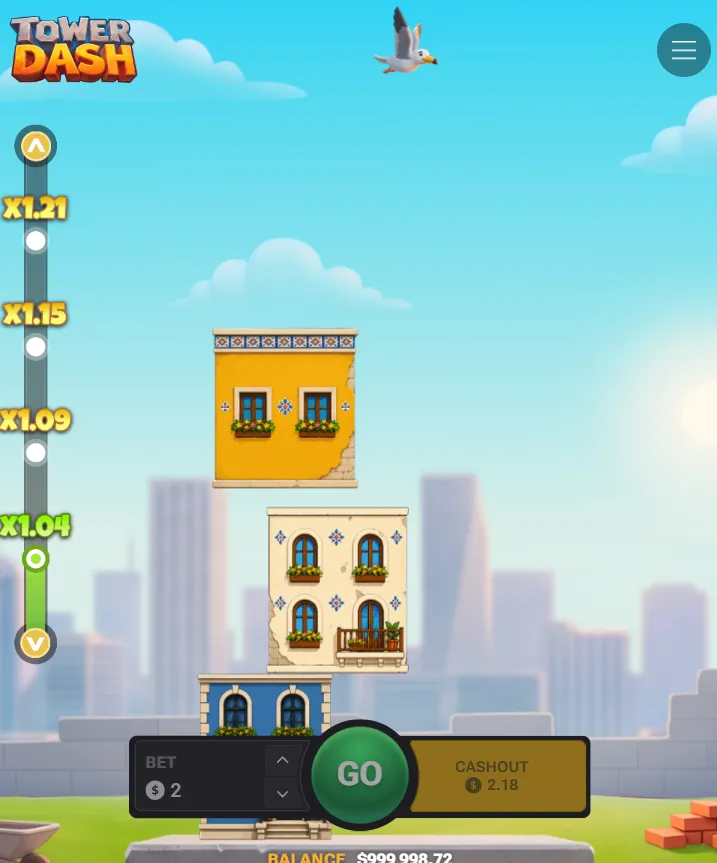
Each placed crate pushes the multiplier up a step. On Easy a sample ladder opens at x1.01, x1.04, x1.09 and x1.15. A crate that falls closes the round.
The button is available after every successfully placed crate. You end the round by hand and keep the multiplier shown at that moment, so the exit is yours.
Easy, Medium or Hard is set before the round. The maximum tower is 40 crates on Easy, 38 on Medium and 35 on Hard. The setting also decides the chance of placing a crate and the potential payout.
What to know before the first stake: the return, both bonus buys and the bet range.
95.5%Return to player
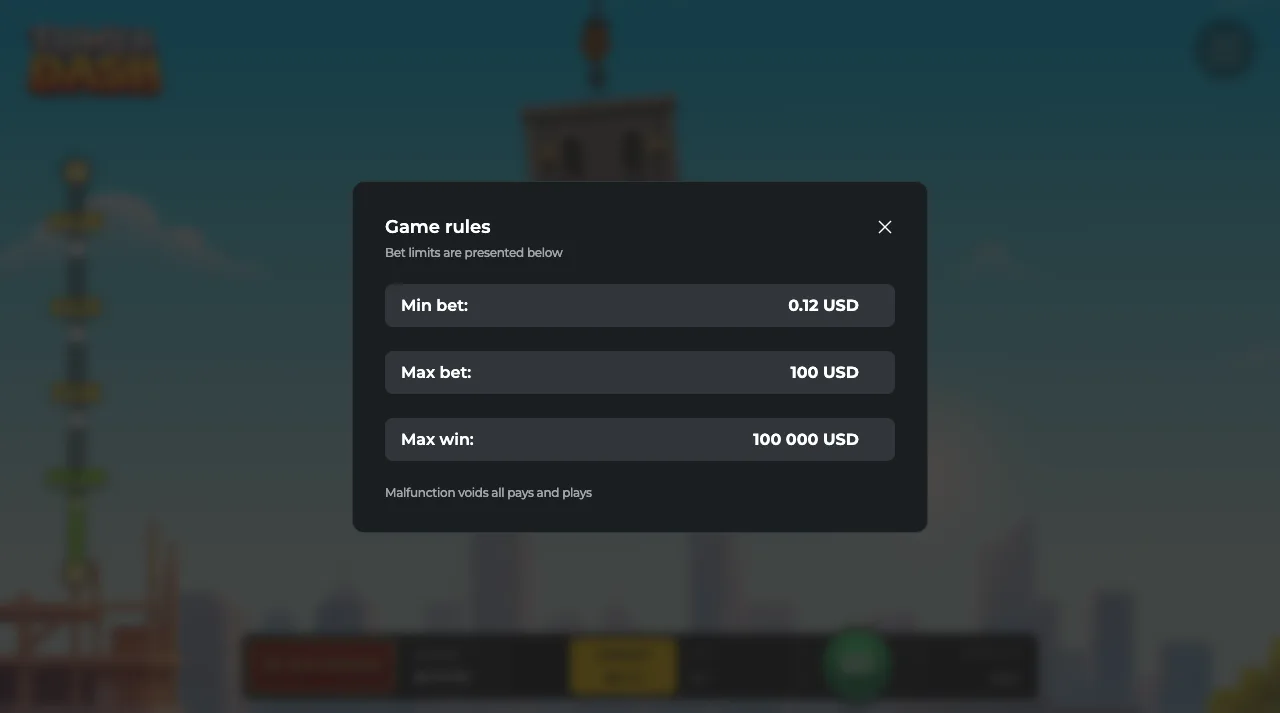
Return to player is 95.5%, a long-run average across a very large number of rounds. Bets run from 0.12 to 100 USD, and the maximum win is 100 000 USD.

The sequence is identical in every round.
Pick your bet from the controls under the tower. It stays put until you change it, so check it after a break.
Easy, Medium or Hard. It stays fixed once the round is live.
The crate swings across the top of the stack. Watch two passes before you commit on a new difficulty.
One tap on Play releases the crate. The outcome depends on when you tap.
The multiplier updates and the next crate loads. You either add a floor or press Cash Out, and the choice repeats until the round ends.
A fallen crate closes the round at once, so decide on Cash Out before the next crate, while the button is showing.
The Android package is one of four ways into the same account. Every route here reaches the same game.
Tap the drawer icon, arrive already signed in, open Tower Dash from the instant games shelf.
The quickest way back in on Android.
Chrome runs the same round straight away.
Useful on a phone short on space. The free demo on the download hub also runs here straight away.
Safari runs the game, and the Share sheet pins the page to the Home Screen for a similar one-tap return.
Covered in full on the iOS page.
A signed-in browser tab on any current desktop or tablet browser opens the identical client.
Bigger view of the stack, same crate ladder.
Tower Dash streams from the InOut Games client. The partner supplies the account, the balance and the shelf it appears on.
A short install
Sign in, let the file land, approve the source once. After that one tap on the icon opens the game.
A signed-in Chrome tab already runs a complete round straight away, and the package adds an icon on top. The package on this page is the Tower Dash app from our partner, and it opens the same client. What it shortens is the time between deciding to play and playing.
A browser session means an address bar, a bookmark and a sign-in prompt. An icon means one tap. Across a week of short sessions that saving is the reason to install. Before you do, the free demo on the download hub shows in a minute whether the game runs well on the phone: an instant start, a 1 000 000 fun balance, in the browser. If the icon suits how you play, get Tower Dash for Android now and read the rest afterwards.
Android raises both prompts for any package from outside the Play Store.
The first asks about the source. Android wants to know whether the app doing the installing, usually your browser or your file manager, may install packages at all. The answer applies to that app, and the system remembers it.
The second is the ordinary install confirmation. Approve it and the system installer takes over. The icon appears in your drawer when it finishes, and opening it returns you to the session you already signed into.
A phone that has installed from the same source before skips the permission question, which is why some people see one prompt and others see two.
Open the icon. Search Tower Dash by name, or look for it with the instant or fast games rather than in the reel listings.
The game loads with a stake control, a difficulty selector and the crane holding the first crate. Bets start at 0.12 USD. Difficulty sets the maximum height, the chance of placing a crate and the potential payout: Easy goes up to 40 crates, Medium to 38, Hard to 35. Medium sits between the other two if you have no preference.
Watch the crane make two passes before you drop anything, so you have seen its pace.
Every placed crate steps the multiplier up, and the cash out button shows what the current step is worth. The maximum win is 100 000 USD.
Cash Out is manual and available after each successfully placed crate. A limit you set for yourself beforehand is applied by hand.
A round ends in one of two ways: a crate falls and the tower closes at that height, or you press Cash Out and keep the multiplier on screen. Pressing the button before the next crate banks the climb.
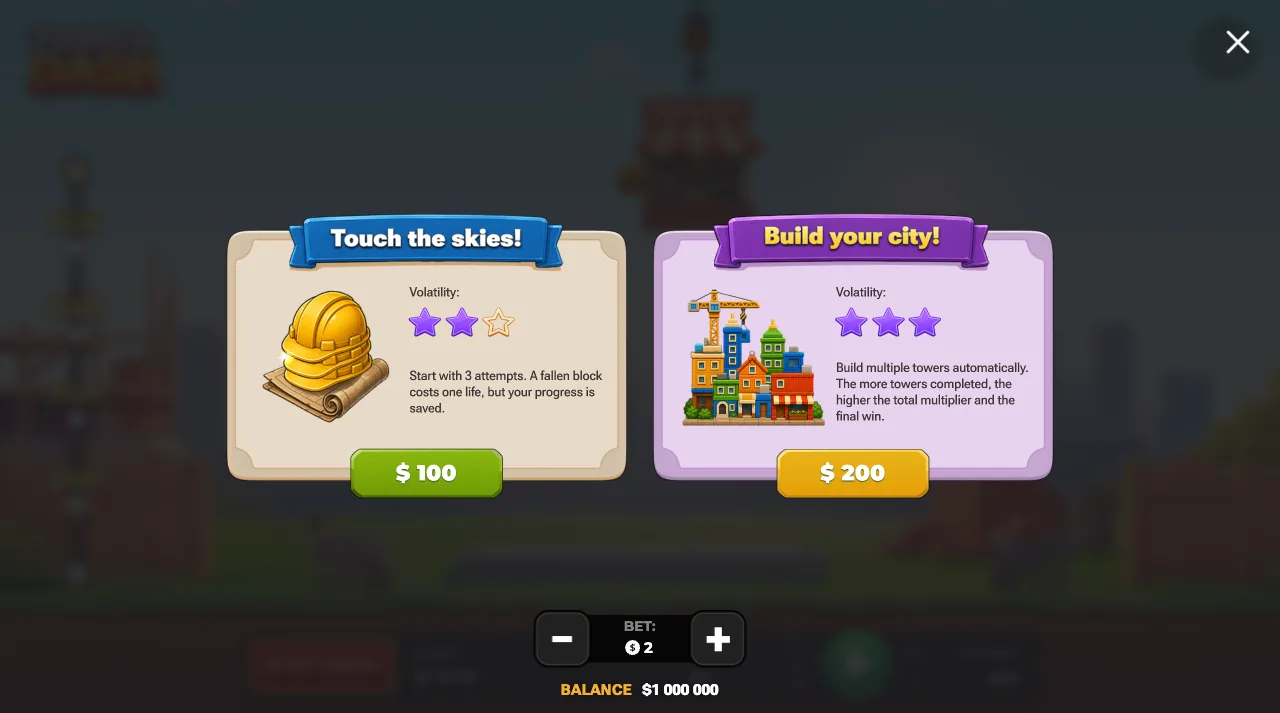
Both purchases behave identically in the package and in a browser tab. “Touch the skies!” costs 50 times the bet. The tower is built automatically in Medium mode with three attempts. A fallen block costs one attempt, building continues from the current floor, and the payout is the multiplier of the last completed floor.
“Build your city!” costs 100 times the bet. Several towers are built automatically in Medium mode, the multiplier of each completed tower is locked in, and the payout is the sum. InOut Games gives both buys 3 of 3 stars for volatility. Check each price against your budget first: at a bet of 100 USD the buys cost 5 000 and 10 000 USD.
The package is worth installing when you use it as your entry point. Drag the icon into your dock or onto the first home screen page. Keep a browser tab as the fallback for a phone short on space.
If you move between a phone and a laptop, the account carries over. Press Cash Out before you swap screens so no tower is left open.
Set your budget while you are still on this page, then set the stake to match. Play a run of rounds on your first difficulty before switching. Cash out early for the first few towers.
After that, take the Android package and start the first tower.
Before the download starts, a look at the handset helps. InOut Games recommends Android 10 or newer, a 2.0 GHz dual-core processor, 4 GB of RAM, 100 MB of free storage and a stable 4G, 5G or Wi-Fi connection, and a screen of 1080 x 1920 or higher shows the whole tower. With those in place the package installs in a couple of minutes. After your first round, open the bet history in the game menu: it keeps the stake, difficulty, multiplier reached and result of every tower, and the provably fair settings let you check the seed values and hash of any round.